· Guide · 6 min read
How to Build an ISO 27001 Evidence Register That Actually Helps During an Audit
Build a practical ISO 27001 evidence register that tracks ownership, requirements, freshness, review status, audit use and evidence reuse without creating duplicate files.
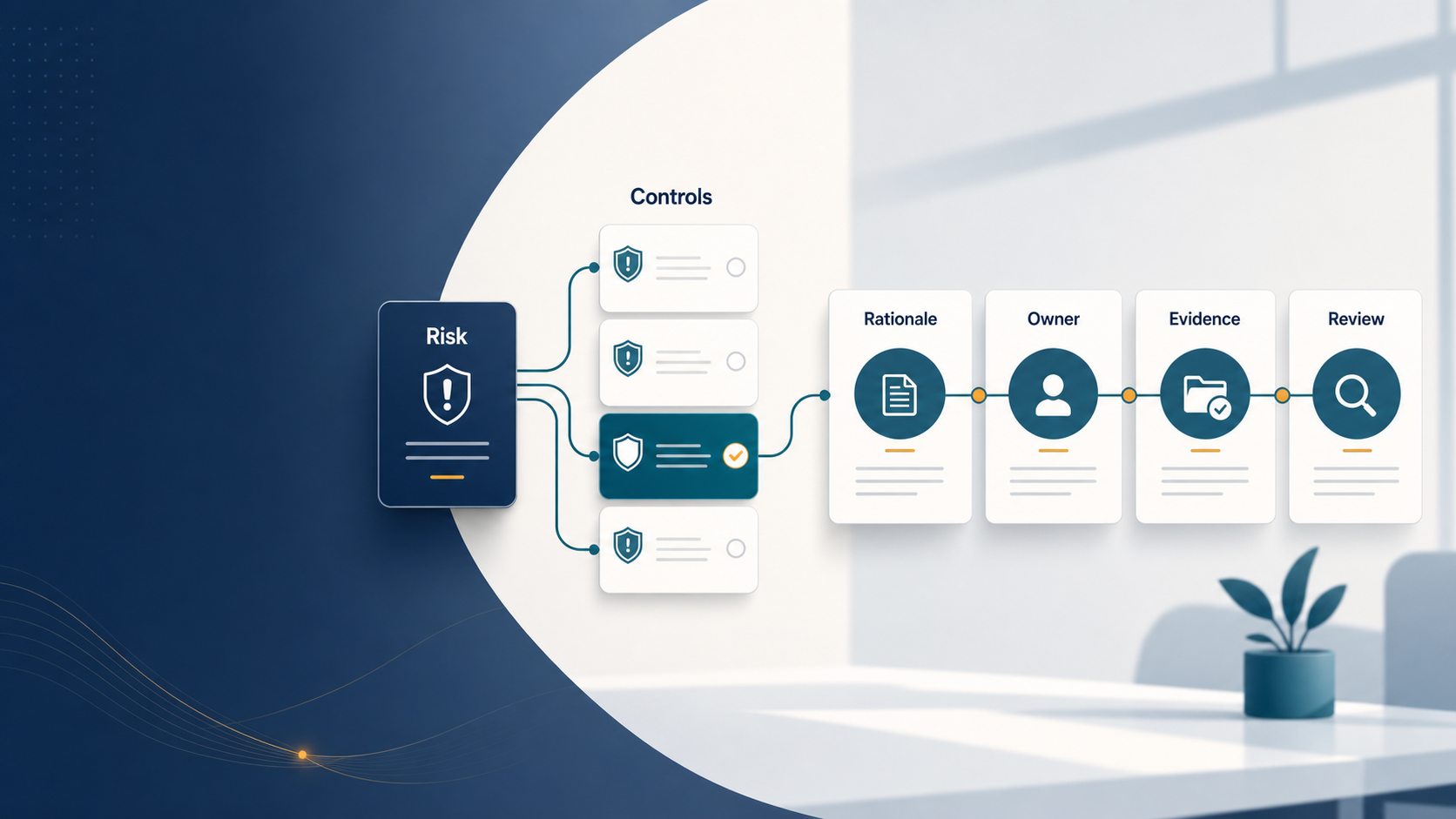
An evidence register should do more than list filenames. If your register contains only “Document Name” and “Folder Location,” it may still leave the audit team asking the same questions: Which requirement does this support? Who owns it? Is it current? Has it been reviewed? Was it accepted for this audit? A practical evidence register should make those answers visible before the audit starts.
What an evidence register is for
The purpose of an evidence register is to create traceability between the audit requirement and the proof available to support it. A useful model is: Requirement or control → Expected evidence → Evidence item → Owner → Period/version → Review status → Audit use This is different from a document register. A document register may tell you what controlled documents exist. An evidence register should also include operating records, reports, tickets, logs, approvals, test results and other proof that a process actually operated.
The minimum fields worth tracking
1. Evidence ID
Use a stable identifier such as EV-2026-0012 rather than relying only on filenames. A stable ID makes evidence easier to reference in audit notes, findings and reports.
2. Evidence title
Use a clear human-readable title such as “Q2 Privileged Access Review — Production Systems” rather than “final_v4.xlsx”.
3. Evidence type
Examples include:
- policy;
- procedure;
- register;
- report;
- system export;
- screenshot;
- log;
- approval;
- ticket;
- meeting record;
- test result;
- external reference.
4. Evidence nature
Classify the evidence as:
- implementation evidence;
- operating/effectiveness evidence; or
- both. This helps prevent a common audit gap where the organization has policies and procedures but little proof that the controls actually operated.
5. Requirement or control mapping
Record which clause, control or other requirement the evidence may support. One evidence item may support multiple requirements. One requirement may also require several evidence items. Do not force a one-control-one-file model.
6. Evidence owner
Record the person or function responsible for maintaining the evidence. Without ownership, evidence becomes stale quickly.
7. Evidence period
For operating records, capture the period covered. Examples:
- Q2 2026;
- January–June 2026;
- change record dated 12 August 2026;
- annual restore test performed 4 July 2026.
8. Version or review date
For controlled documents, record the current version and approval/review date. For operating records, track the latest applicable review or completion date.
9. Valid-until or freshness date
Some evidence should be reviewed after a defined period. Examples include supplier assessments, access reviews, policies, penetration tests and recovery tests. A useful evidence tracker should distinguish:
- Current
- Expiring Soon
- Expired
10. Classification
Evidence may contain sensitive information. A simple model such as Public, Internal, Confidential and Restricted can help control who may view or download it.
11. Audit use
Track which audits or assessments used the evidence. This supports reuse and helps teams understand where evidence has already been reviewed.
12. Review result
Separate the evidence item from the reviewer’s decision. Possible review outcomes include:
- Submitted
- Under Review
- Accepted
- Rework Required This matters because evidence that was accepted in one audit may not automatically satisfy another audit with a different scope or period.
Build from expected evidence, not only existing files
A stronger register starts with the requirement and asks what evidence should normally exist. For example: Clause 9.2 Internal audit Expected evidence may include:
- internal audit procedure;
- audit programme or schedule;
- completed audit reports;
- findings;
- corrective-action follow-up;
- evidence that results were communicated. The register should then show which items are available and which are missing. This changes audit preparation from “find files” to “close evidence gaps.”
Track documents and records separately
Documents and records serve different purposes. Examples: Access Control Policy = document / implementation evidence Quarterly access review = record / operating evidence Backup Procedure = document / implementation evidence Restore-test report = record / operating evidence Internal Audit Procedure = document / implementation evidence Internal Audit Report = record / operating evidence A useful register should make this difference visible.
Avoid duplicate evidence folders
If the same quarterly access review supports several requirements or audits, copying it into multiple folders creates version-control problems. Instead:
- Keep one controlled evidence item.
- Map it to multiple requirements where relevant.
- Reuse it in multiple audit contexts.
- Keep the reviewer decision separate for each audit. This reduces duplication without assuming the evidence is automatically acceptable everywhere.
Add evidence freshness to your audit planning
Before creating a new evidence request, check whether suitable evidence already exists. If an item is current, in scope and relevant, reuse may be appropriate. If it is expired, out of period or no longer representative, create a new request. A practical audit-preparation flow is therefore: Select audit requirements → Load expected evidence → Check the evidence library → Identify current reusable evidence → Identify missing or stale evidence → Create requests only for the gaps → Review and accept evidence in the audit context This saves control owners from receiving unnecessary duplicate requests.
What an auditor may want to understand
For an important evidence item, be ready to answer:
- What requirement does it support?
- Who owns it?
- What period does it cover?
- Is it the latest version?
- How was it produced?
- Has it been reviewed?
- Were exceptions identified?
- Were exceptions followed up?
- Is it still current?
- Has it been accepted for this audit? If your evidence register can answer those questions quickly, audit preparation becomes much more efficient.
A simple evidence-register structure
A practical spreadsheet or tool could contain columns such as: Evidence ID Evidence Name Framework Requirement Evidence Category Document or Record Implementation or Operating Evidence Owner Evidence Period Version Review Date Valid Until Freshness Classification Audit(s) Used In Latest Review Result Status Reference / Location Notes The exact fields can vary, but the principle is consistent: evidence should be traceable, current and reviewable.
Common mistakes
Avoid these patterns:
- treating a folder path as evidence management;
- relying on filenames to explain context;
- collecting policies but not operating records;
- requesting evidence that already exists;
- copying the same file into several audit folders;
- failing to track evidence age;
- assuming prior acceptance means future acceptance;
- storing sensitive evidence without appropriate access controls;
- keeping no history when evidence is replaced or resubmitted.
Final takeaway
A useful ISO 27001 evidence register should tell you not only what files exist, but what they prove. The most useful evidence trackers connect requirements, expected evidence, actual evidence, ownership, freshness, review decisions and audit use. That structure helps teams identify gaps earlier, reduce repeated requests and enter an audit with a clear evidence trail rather than a collection of disconnected files. Explore the AuditPrepared ISO 27001 Clause Explainer: ISO 27001 Clause Explainer Review Annex A controls with the AuditPrepared Annex A Control Lookup: Annex A Control Lookup